Who This Guide Is For
If you are responsible for safety, security or compliance at a factory, warehouse, energy, utility, healthcare or education site — or you specify equipment for clients as an integrator — this guide helps you specify a guard tour system that will actually be used and trusted.
We write it for overseas buyers first. Procurement here is usually done by an EHS or security manager who must justify the spend to operations and finance, and who will issue an RFQ to several suppliers. The goal is to help you ask the right questions and compare answers like-for-like.
Start With the Site, Not the Spec Sheet
Resist the temptation to compare readers by headline numbers. Begin by mapping the site: which areas are explosive-risk, which are wet or corrosive, which see high-frequency rounds, and which points must be verified at set times.
| Question | Why it decides the design | What it points to |
|---|---|---|
| Is there flammable gas, vapour or dust? | Sets the only admissible technology for that zone | Contact iButton (intrinsic safety) |
| Are checkpoints wet, outdoor or tamper-prone? | Affects tag survival and read reliability | Contactless RFID; sealed, hideable tags |
| How often are rounds done? | Drives tag count, battery and handling | Contactless for high frequency; offline storage sized to cycle |
| Must incidents trigger an instant alert? | Decides online vs offline | Online streaming only where alerts are required |
Answer those four questions first and most of the specification writes itself. The remaining choices are about durability, battery and software.
Contact vs Contactless: The Decision That Matters Most
This is the single most important choice, and for hazardous zones it is not a choice at all.
| Contact iButton | Contactless RFID | |
|---|---|---|
| Intrinsic safety | Emits no RF energy — admissible in explosive-risk zones | Emits RF energy — excluded where ignition is a risk |
| Reading | Touch the button; simple, robust | No contact; faster, tag can be hidden |
| Best for | Refineries, fuel depots, chemical & LNG, grain silos | Wet, dusty, tamper-prone, high-frequency routes |
Online vs Offline
Offline readers store reads locally and upload them after the shift via a cradle or USB. There is no wiring and deployment across a large site is simple. For the vast majority of industrial and commercial patrols, offline is enough.
Online systems stream data in real time and are warranted only where a delay is unacceptable — for example a perimeter breach that must raise an immediate alarm. They cost more and need network infrastructure, so specify them only when live response is a stated requirement.
Durability and Battery: The Real Buying Criteria
For a device a guard carries every shift — and may try to defeat — durability is the difference between a system that enforces patrols and one that is quietly bypassed. Look for verified numbers, not adjectives: readable after a 10-metre drop and a vehicle rollover, sealed to IP67.
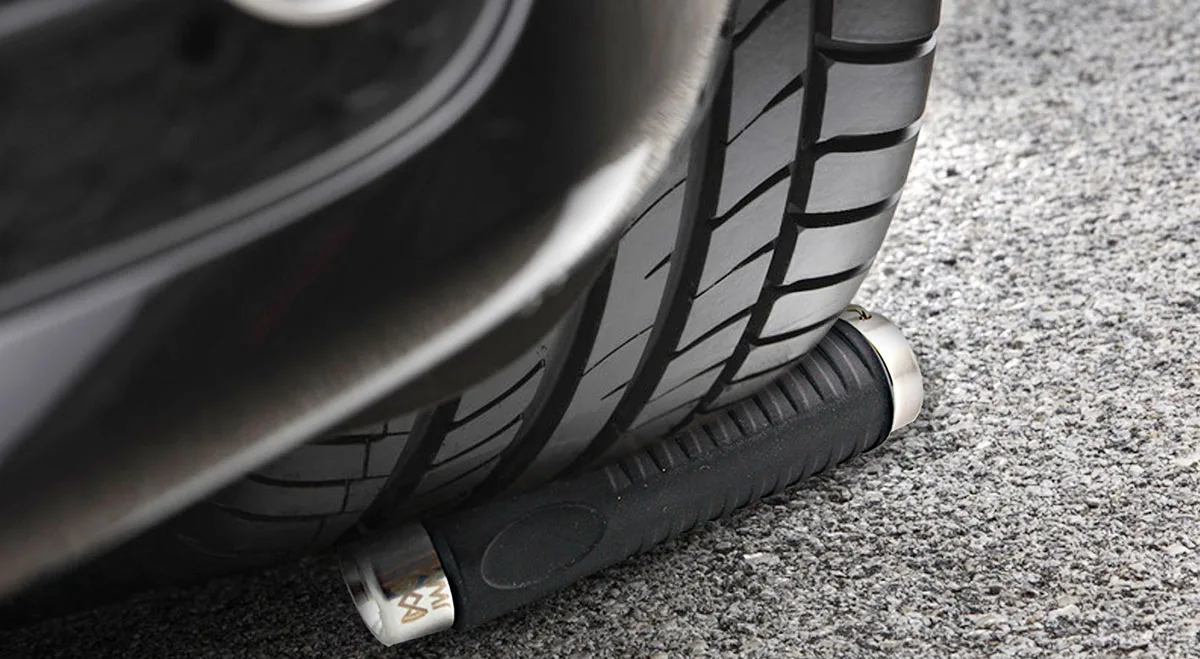
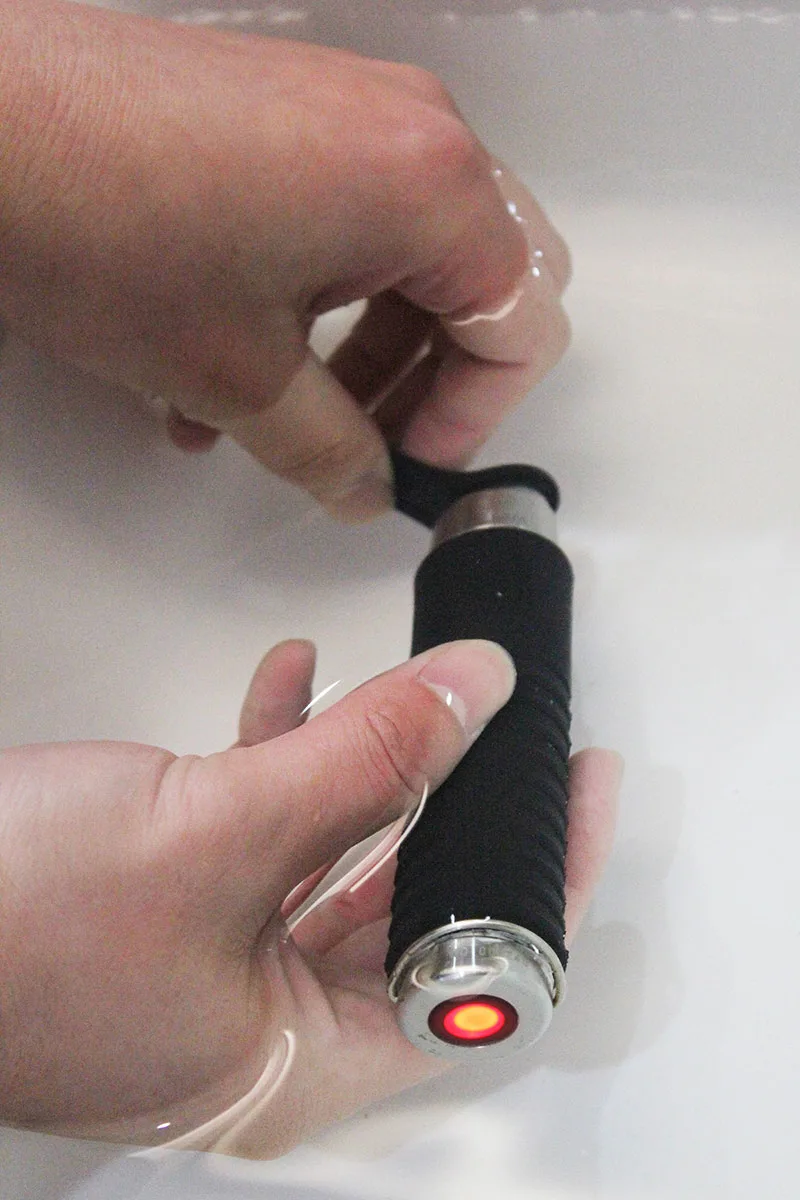
Battery is the second real criterion. Check cell life, how easy it is to buy a replacement locally (standard 9V or CR123A sizes beat proprietary cells), and for rechargeable units, runtime per charge. A reader that strands you on a proprietary battery is a recurring cost and a supply risk.
Software and Reporting
The reader is only half the system. Management software should compare actual rounds against the plan, flag missed points, and export audit-ready reports — the evidence EHS teams, auditors and insurers expect.
If you manage several buildings or sites, confirm the software handles multiple locations and roles, and that reports can be produced per site and per period. For tenders and compliance, ask whether the supplier can provide local-language reports and data export in a format your systems accept.
How to Qualify a Supplier for Your RFQ
Price alone hides risk. When you issue an RFQ, qualify the supplier on what actually protects your deployment:
Local-language documentation and support — you will need manuals, software and help desk in your market’s language.
Lead time and spare parts — confirm stock and how fast replacements ship, especially for readers and cradles you will run at scale.
Compliance fit for your region — ask the supplier about intrinsic-safety and any local certification applicable to your sites; match the answer to your own regulatory environment rather than assuming one global stamp fits all.
OEM and white-label options — if you resell or bundle the system, ask whether the supplier offers private-label readers, software and packaging under your brand.

Your Specification Checklist
Before you send the RFQ, confirm each item:
Explosive-risk zones present? → specify contact iButton for those areas.
Wet, dusty, tamper-prone or high-frequency routes? → contactless RFID.
Need live alerts? → online; otherwise offline.
Reader: IP67, drop- and crush-resistant, battery easy to replace.
Software: plan-vs-actual comparison, missed-point flags, audit-ready export.
Supplier: local-language support, lead time, spare parts, compliance fit, OEM if needed.