What an Electronic Guard Tour System Is
A basic system has four parts: the patrol reader (data collector), the checkpoints (fixed identification tags on site), a management PC, and the guard tour management software. Most setups also include a downloader or USB cable to transfer data from the reader to the PC.
How It Manages Patrol Work
Managing patrol work with a guard tour system is essentially a one-way information-processing loop: capture (read the checkpoint), store (write to the reader), display (show on the management side), and control (compare against the planned route and flag exceptions). It turns an abstract management requirement into auditable data.
The practical value shows in three ways: it converts "on time, on location" from a verbal instruction into verifiable fact; it automatically surfaces missed checks, late arrivals and proxy patrols in the report; and it gives management a traceable evidence chain for evaluation and accountability.

Online vs Offline Systems
By how data is stored and returned, guard tour systems fall into two types: online and offline.
| Type | Data return | Best for |
|---|---|---|
| Online | Records and uploads in real time; visible on the management side instantly | Sites needing live monitoring and instant on-site alerts |
| Offline | Reader stores locally; batch upload after the shift | The vast majority of routine patrol routes |
Offline systems account for roughly 90% of the market. They need no wiring: the guard carries the reader and collects data at each checkpoint in turn. Installation is simple and reliable, and they suit almost any site. After completing a route, the reader is docked or connected directly and the software uploads the data, automatically comparing it against the plan to flag missed checks and anomalies for supervisor review.
Contact iButton vs Contactless RFID
How the reader reads a checkpoint determines the device environmental fit and installation style. The two mainstream approaches are contact (iButton / 1-Wire) and contactless (125kHz RFID).
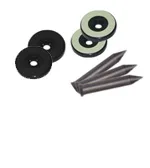
| Aspect | Contact iButton | Contactless RFID |
|---|---|---|
| How it reads | Reader touches a stainless-steel button | Contactless induction, 0 to 5 cm, no button press |
| Installation | Button exposed and fixed on the surface | Tag can be surface-mounted, concealed or embedded in non-metal |
| Tamper resistance | Exposed button can be vandalised or removed | Tag can be hidden, hard to damage or remove |
| Environment | Contact can collect dust; rain, snow or ice may cause poor contact | No contact point; unaffected by dust, rain or snow |
| Explosion protection | No RF energy; usable in gas stations, fuel depots, refineries | Emits RF energy; not for explosive-risk sites |
| Best for | Indoor, factories, explosive-risk / intrinsic-safety sites | Harsh, wet, tamper-prone, high-frequency routes |
The real weak point of contact systems is this: the iButton must be physically touched and is therefore exposed on the surface. Over time it collects dust; in rain, snow or ice the contact can fail; and an exposed button can be vandalised, removed, or even heat-damaged so the chip dies while the casing looks intact.
Contactless RFID addresses exactly these weaknesses: no contact is needed, so the tag can be sealed into a wall or embedded in a non-metallic surface, making it almost impossible to damage or remove; reads are faster, and there is no contact point to wear out, corrode, or be affected by dust and weather.
How to Choose
In short: first ask whether the site has explosion-protection or intrinsic-safety requirements — if yes, choose contact; if not, pick between contactless and contact based on environment (wet, tamper-prone, high-frequency) and budget. Either way, the core goal is the same: make "on time, on location" verifiable.
For example, the TS-G700 is a 125kHz RFID contactless reader: contactless reading, hideable checkpoint tags, no download station required, and fully waterproof — well suited to tamper-prone or high-frequency routine routes. For help matching a model to your site, contact us any time.