What Warehouses Actually Lose
A warehouse holds high-value inventory around the clock, yet most theft and shrinkage happen in the hours no one is watching: nights, weekends and the gaps between shifts. The hard question for a logistics manager is simple: can you prove a guard actually walked the floor?
How a Guard Tour System Works in a Warehouse
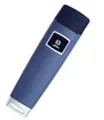
The system turns a walking route into verifiable evidence. A guard carries a reader and touches checkpoint buttons placed at the points that matter; each touch is stored with its time and location.
| Unverified patrol | Guard tour system | |
|---|---|---|
| Record integrity | Based on trust | Time-stamped, cannot be edited |
| Coverage | Unknown which zones were visited | Every checkpoint logged |
| Incident response | Reported after the fact | Event button logs time and place |
| Management view | Anecdotal | Clear exception report |
Using Patrol Records to Deter Theft
Most internal theft is opportunistic: it happens because no one can prove a zone was or was not checked. A verifiable patrol log removes that cover.
- Post patrol compliance on a shared dashboard so supervisors see gaps the same day.
- Use event buttons to log any door left open or stock anomaly with a time and place.
- Review exception reports weekly; missing checkpoints become a coaching moment, not a mystery.
Cold Rooms and Hazardous Zones
Warehouses mix cold storage, flammable goods and busy docks in one building. Reader choice depends on the zone.

- Pick a reader rated for low temperature and water for freezer and cold-room rounds.
- Use contact (iButton) readers in flammable or explosion-risk storage where radio frequency is not allowed.
- Keep one durable reader type across the building so training stays simple.
Where to Place Checkpoint Buttons
Coverage is about the zones that lose money when ignored. Tag the points a thief or an error would pass through.
| Zone | Why it matters |
|---|---|
| Dock doors | High-value goods enter and leave here; a missed check hides theft or wrong shipments |
| Racking ends | Long aisles are easy to skip; logging ends proves the lane was walked |
| Cold or freezer rooms | A propped door spoils stock and wastes energy |
| Yard gate | After-hours access and trailers are the top theft target |
| Hazmat area | Flammable storage needs a verified, spark-free check |
From Scans to Reports
A scan is only useful if it becomes a report someone reads. The system turns raw touches into management-ready output.
- Export a per-shift patrol compliance summary without retyping logs.
- Share verified coverage with insurers after a loss or a claim.
- Flag missed checkpoints before a manager has to ask.
Getting Started in One Week
- Walk the building and list the zones that lose money when ignored.
- Install checkpoint buttons at dock doors, racking ends, cold rooms and the gate.
- Issue readers to guards and train them in one short session.
- Set each shift patrol schedule and the exception rules.
- Review the weekly exception report with the operations lead.